
Section 3
Mesh → Solid
What it does: finds the design intent in a mesh (an extrusion direction, flat faces, cylinders, cones, spheres) and writes a clean STEP solid. It is the best tool for machined or CAD-designed parts.
3.1 How it works
The tool tries three routes, best first, and keeps the first one that passes every quality check:
- Prismatic. If the part is an extrusion (a sketch pulled straight), it redraws the outlines with lines and arcs and extrudes them. This is the cleanest result. It also gives you editable scripts.
- Face-group engine. Otherwise it groups the mesh into surface regions and gives each one a real plane, cylinder, cone, sphere or torus face. This is the same idea as Fusion's paid "Prismatic" mesh conversion.
- Faceted. If neither passes, you still get a valid, closed solid. Flat areas are merged into single faces and curved areas are simplified, but it is made of facets.
You always get a solid. The report tells you which route produced it.
3.2 Settings: the acceptance gate
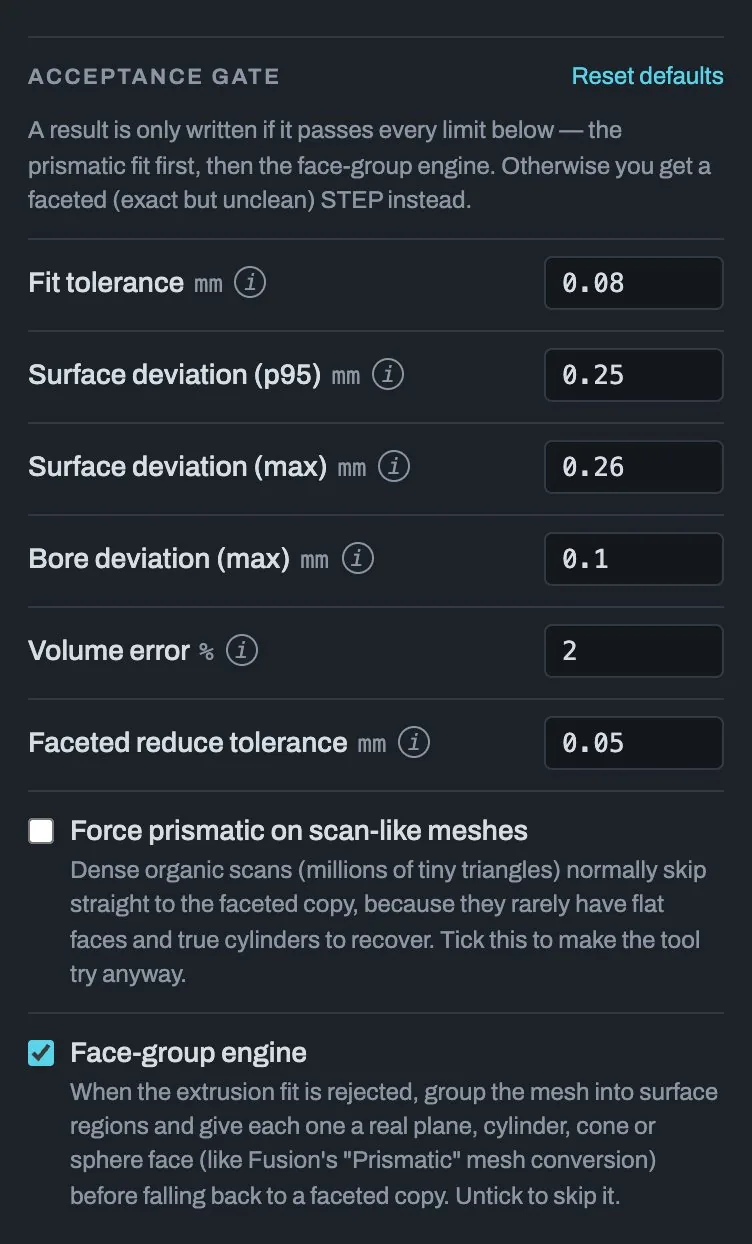
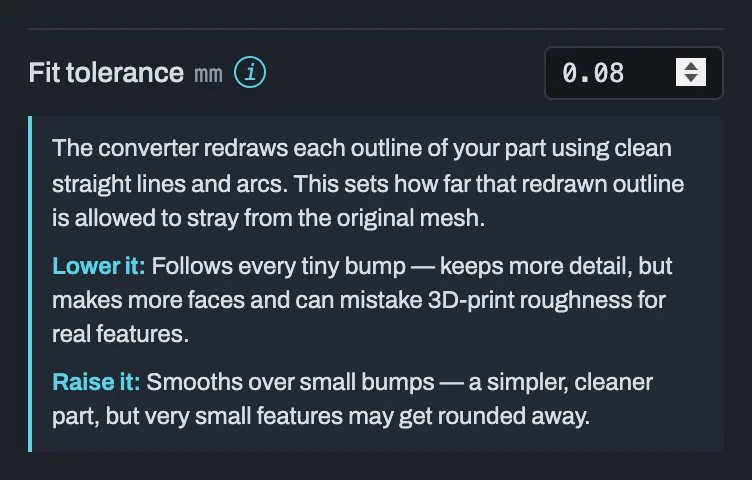
A clean result is only written if it passes every limit. Click the small i next to any setting for a plain-language explanation of what raising or lowering it does.
| Setting | Default | What it means | Lower it | Raise it |
|---|---|---|---|---|
| Fit tolerance | 0.08 mm | How far the redrawn lines and arcs may stray from the mesh. | Follows every tiny bump. Keeps more detail, but makes more faces and can mistake 3D-print roughness for real features. | Smooths over small bumps. A simpler part, but very small features may get rounded away. |
| Surface deviation (p95) | 0.25 mm | 95 % of the surface must be closer than this to the original. This is the main quality bar. | Demands a near-perfect match. More parts fall back to the faceted copy. | Accepts a rougher match. More parts convert cleanly, but may visibly differ. |
| Surface deviation (max) | 0.26 mm | The limit for the single worst spot on the part. A taper, chamfer or rounded corner is usually what breaks it. | Even one slightly-off spot rejects the clean solid. | Lets one small area be off while the rest stays accurate. |
| Bore deviation (max) | 0.10 mm | A stricter limit for round holes, so screws and pins still fit. | Holes must be almost exactly the right size. | Only sensible when the holes are cosmetic. |
| Volume error | 2 % | The rebuilt part must hold about the same amount of material as the original. Catches a pocket that got filled in or a chunk that went missing. | Stricter overall shape check. | More forgiving. Rarely needs changing. |
| Faceted reduce tolerance | 0.05 mm | Only used for a faceted result: how far simplified curved areas may move from the original (like Fusion's Reduce by tolerance). 0 keeps every triangle. |
Keeps more triangles. Closer to the mesh. | Fewer triangles and a smaller STEP. Small details may be smoothed. |
3.3 Settings: options
| Option | Default | What it does |
|---|---|---|
| Force prismatic on scan-like meshes | off | Dense organic scans (millions of tiny triangles) normally go straight to a faceted copy, because they rarely have flat faces and true cylinders to recover. Tick this to make the tool try anyway. |
| Face-group engine | on | When the extrusion fit is rejected, try route 2 (fitted planes, cylinders, cones, spheres and tori) before falling back to a faceted copy. Untick to skip it. |
3.4 Converting
Click Convert to STEP. The button shows Converting… (or Waiting in queue…) while it works, and a Cancel button appears. Your file and settings stay loaded if you cancel. Open Pipeline log under the report to watch the steps.
3.5 Downloads
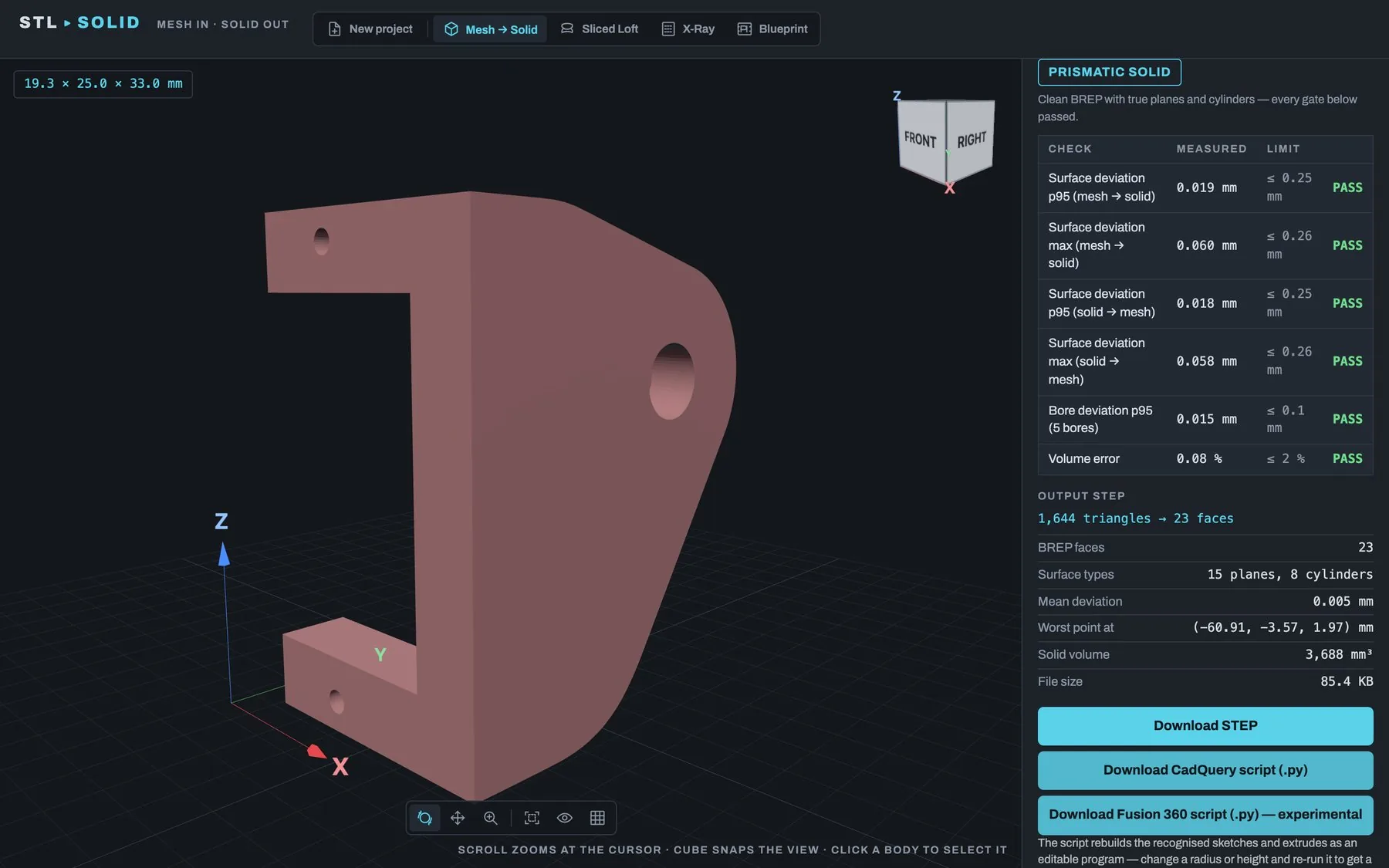
- Download STEP: the solid. Import it into Fusion 360 or any CAD program.
- Download CadQuery script (.py): for prismatic results. It rebuilds the recognised sketches and extrudes as an editable program. Change a radius or height and re-run it to get a new STEP.
- Download Fusion 360 script (.py) — experimental: for prismatic results. It rebuilds the part as a parametric Fusion timeline.
- Download Fusion 360 script (Boundary Fill): for face-group results (experimental). Fusion rebuilds every fitted surface and computes the edges itself, so the solid has clean edges. The label says whether a test run predicts it will build (experimental), probably fail (likely to fail), or could not be checked (not checked). The STEP is fine either way.
How to run a script in Fusion is in section 9.